Usage metrics
Per-tool call counts, error rates, latency and unused tools. Click an error count to inspect the failed response, filtered by namespace and time window. Stored locally; successful calls never record inputs or responses.
Your MCP servers, shared across Claude Code, Codex, Cursor and beyond. Configure once. Load less context. Decide exactly what each agent can do.
brew install Bigsy/tap/mcpmu
Plain MCP over stdio and Streamable HTTP. Works with
Add a server to mcpmu once. Point each agent at the gateway and share the same server definitions, authentication and tool rules.
Keep work, personal and project tools in separate namespaces. Each agent gets the right view of the same configuration.
# Add your servers once
mcpmu add context7 -- npx -y @upstash/context7-mcp
mcpmu add atlassian https://mcp.atlassian.com/mcp --scopes read,write

# Connect Claude Code to all of them
claude mcp add mcpmu -- mcpmu serve --stdio

# …or to just the work namespace
claude mcp add work -- mcpmu serve --stdio --namespace work
# Same servers, same rules, another agent
codex mcp add mcpmu -- mcpmu serve --stdio
# Scope it to a namespace
codex mcp add work -- mcpmu serve --stdio --namespace work
# Or let your agent import your existing MCP config
mcpmu skill install// Cursor, Windsurf, Claude Desktop and other stdio clients
{
"mcpServers": {
"mcpmu": {
"command": "mcpmu",
"args": ["serve", "--stdio"]
}
}
}# One long-running endpoint, a URL per namespace
mcpmu serve --http
# Off loopback, a bearer token is mandatory
mcpmu serve --http --addr 0.0.0.0:8081 --token "$MCPMU_TOKEN"
# Point any Streamable HTTP client at a namespace
{ "mcpmu": { "url": "http://127.0.0.1:8081/mcp/work" } }~/.config/mcpmu/config.jsonA large tool catalog can fill your context with schemas before an agent starts working. mcpmu replaces that upfront payload with three wrapper tools and a compact catalog.
Your agent discovers what’s available, fetches full schemas when needed, and calls the underlying tools. You choose how much detail the catalog includes.
list_toolsget_tool_schemainvoke_toolThe level shapes the compact listing embedded in invoke_tool. Full schemas stay one get_tool_schema call away.
<tool>filesystem.read_file(path, limit?): Read a file from disk.</tool>
<tool>github.create_issue(owner, repo, title, body?): Create an issue in a repository.</tool>
<tool>docs.search(query, limit?): Search library documentation for relevant sections.</tool>
<tool>jira.get_issue(key, fields?): Fetch a Jira issue by key.</tool>
<tool>slack.post_message(channel, text, thread_ts?): Post a message to a channel or thread.</tool>mcpmu namespace set-compression work mediumOpt-in, per namespace or per serve process. Example counts are from a setup with 8 servers and 100 tools; actual savings depend on your catalog and level. How compression works ↗
Give a research agent read access. Allow a development agent to make changes. Block a dangerous tool across every namespace.
mcpmu enforces permissions at the gateway, including calls through compression. Denied tools stay out of discovery and their calls are blocked before dispatch.
Understand tool permissions| Tool | research | development |
|---|---|---|
| filesystem. | ✓ Allow | ✓ Allow |
| filesystem. | ✕ Deny | ✓ Allow |
| filesystem. | Global deny · every namespace | |
mcpmu server deny-tool filesystem delete_filePer-tool call counts, error rates, latency and unused tools. Click an error count to inspect the failed response, filtered by namespace and time window. Stored locally; successful calls never record inputs or responses.
PKCE, dynamic client registration, bearer tokens, or custom headers for things like Cloudflare Access. Secrets can come from env vars at request time.
Search the official registry from the terminal or browser and add a server with its install spec pre-filled.
Edit config while agents are connected. Permission and compression edits keep instances running; only affected servers restart.
Upstreams are shared across agents by default. Browsers, REPLs and other stateful servers can get a private instance per session.
Forward an upstream’s forms, sign-in links and sampling requests to the agent that caused them. Opt-in per server, and a tool’s timeout pauses while it waits on you.
Tool annotations, output schemas, icons and structured results survive the proxy hop. Cancellation and progress relay both ways.
status & doctorRead-only diagnostics for config, executables, working directories, env vars and running instances. Env checks show names, never values.
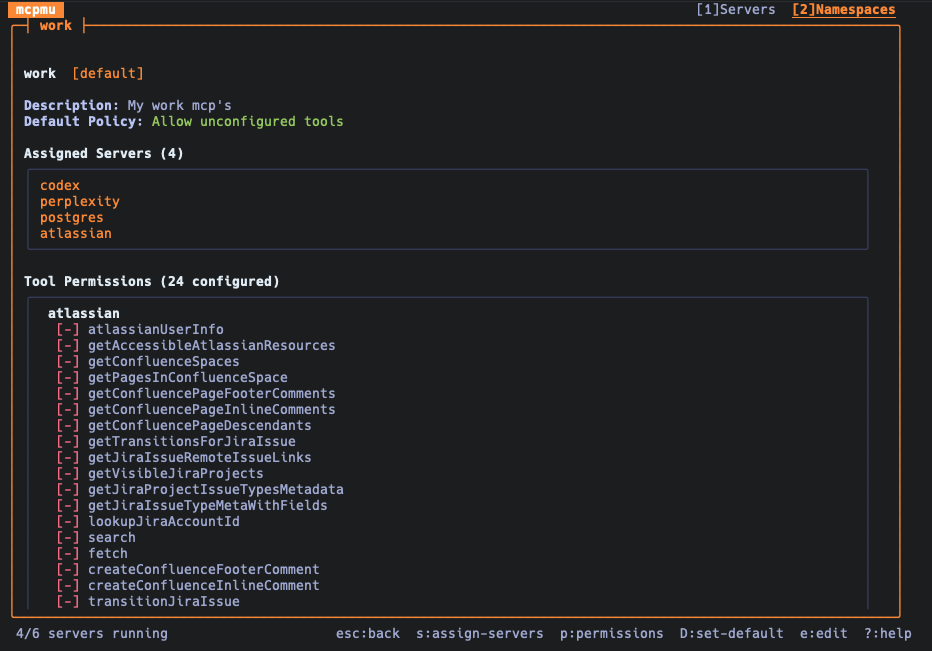
Manage servers, namespaces and permissions in your terminal or browser.
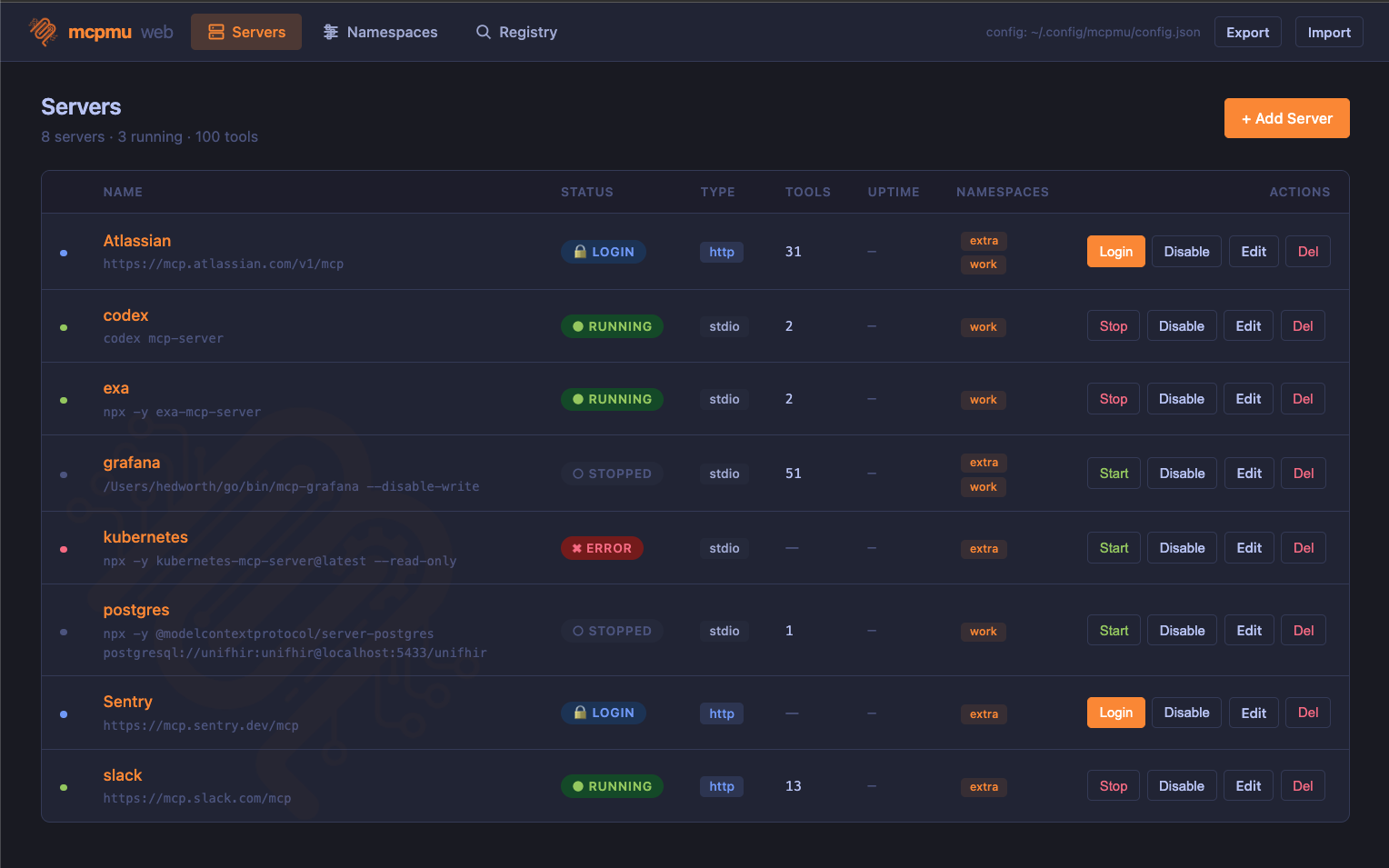
mcpmu webBrowser UIServers, namespaces, the registry and metrics, with live logs over SSE.
mcpmuTerminal UIKeyboard-driven. Test, edit and set permissions without leaving the terminal.
Free and open source. No account or subscription required.
brew tap Bigsy/tap
brew install mcpmugo install github.com/Bigsy/mcpmu/cmd/mcpmu@latestmcpmu skill install and let your agent import your configmcpmu add context7 -- npx -y @upstash/context7-mcpclaude mcp add mcpmu -- mcpmu serve --stdio